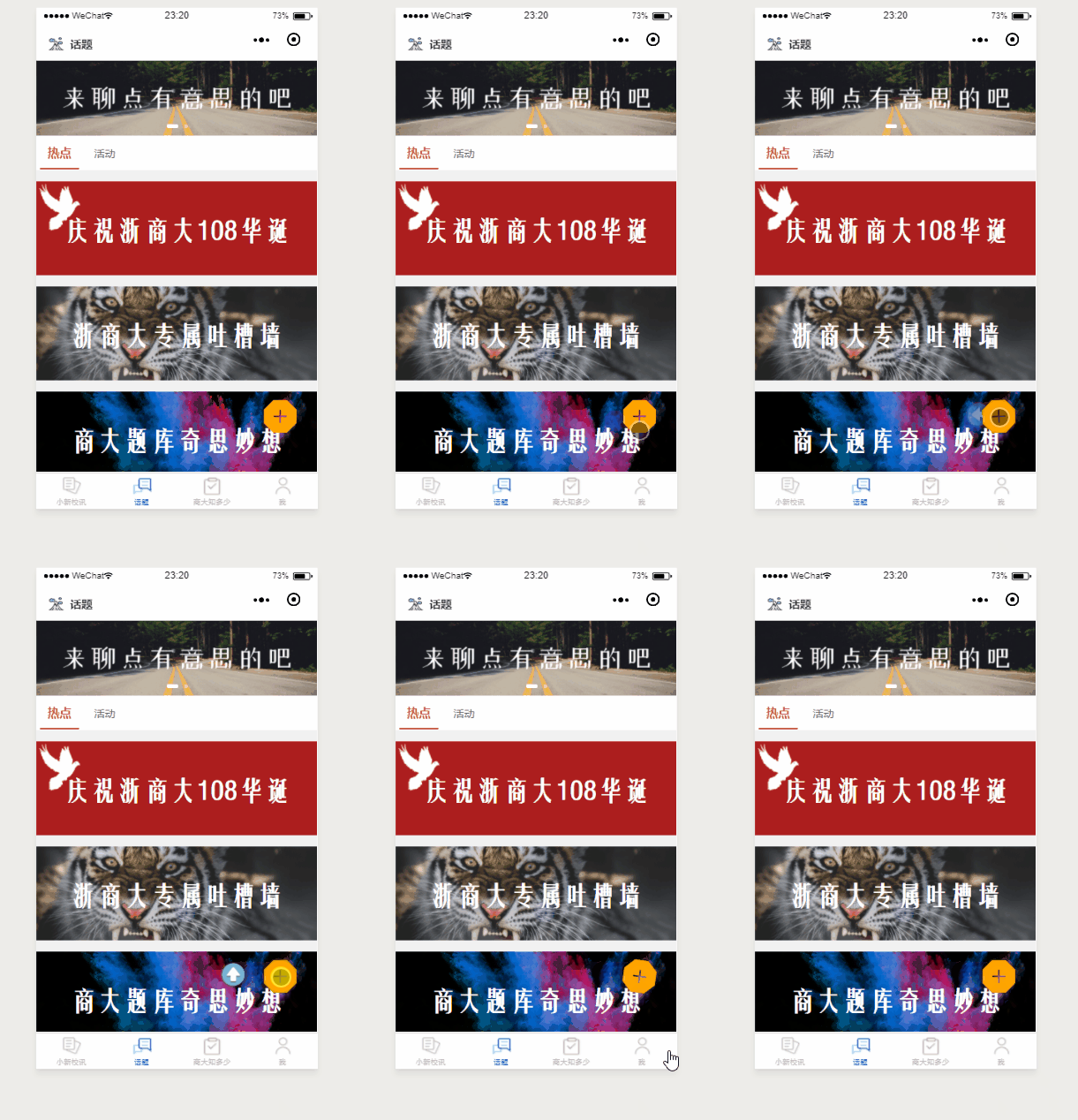
1
2
3
4
5
6
7
8
9
10
11
12
13
14
15
16
17
18
19
20
21
22
23
24
25
26
27
28
29
30
31
32
33
34
35
36
37
38
39
40
41
42
43
44
45
46
47
48
49
50
51
52
53
54
55
56
57
58
59
60
61
62
63
64
65
66
67
68
69
70
71
72
73
74
75
76
77
78
79
80
81
82
83
84
85
86
87
88
89
90
91
92
93
94
95
96
97
98
99
100
101
102
103
104
105
106
107
108
109
110
111
112
113
114
115
116
117
118
119
120
121
122
123
124
125
126
| Page({
data: {
isPopping: false,
animPlus: {},
animCollect: {},
animTranspond: {},
animInput: {},
},
plus: function () {
if (this.data.isPopping) {
this.popp();
this.setData({
isPopping: false
})
} else if (!this.data.isPopping) {
this.takeback();
this.setData({
isPopping: true
})
}
},
input: function () {
console.log("input")
},
transpond: function () {
console.log("transpond")
},
collect: function () {
console.log("collect")
},
popp: function () {
var animationPlus = wx.createAnimation({
duration: 500,
timingFunction: 'ease-out'
})
var animationcollect = wx.createAnimation({
duration: 500,
timingFunction: 'ease-out'
})
var animationTranspond = wx.createAnimation({
duration: 500,
timingFunction: 'ease-out'
})
var animationInput = wx.createAnimation({
duration: 500,
timingFunction: 'ease-out'
})
animationPlus.rotateZ(180).step();
animationcollect.translate(-100, -100).rotateZ(180).opacity(1).step();
animationTranspond.translate(-140, 0).rotateZ(180).opacity(1).step();
animationInput.translate(-100, 100).rotateZ(180).opacity(1).step();
this.setData({
animPlus: animationPlus.export(),
animCollect: animationcollect.export(),
animTranspond: animationTranspond.export(),
animInput: animationInput.export(),
})
},
takeback: function () {
var animationPlus = wx.createAnimation({
duration: 500,
timingFunction: 'ease-out'
})
var animationcollect = wx.createAnimation({
duration: 500,
timingFunction: 'ease-out'
})
var animationTranspond = wx.createAnimation({
duration: 500,
timingFunction: 'ease-out'
})
var animationInput = wx.createAnimation({
duration: 500,
timingFunction: 'ease-out'
})
animationPlus.rotateZ(0).step();
animationcollect.translate(0, 0).rotateZ(0).opacity(0).step();
animationTranspond.translate(0, 0).rotateZ(0).opacity(0).step();
animationInput.translate(0, 0).rotateZ(0).opacity(0).step();
this.setData({
animPlus: animationPlus.export(),
animCollect: animationcollect.export(),
animTranspond: animationTranspond.export(),
animInput: animationInput.export(),
})
},
onLoad: function (options) {
},
onReady: function () {
},
onShow: function () {
},
onHide: function () {
},
onUnload: function () {
},
onPullDownRefresh: function () {
},
onReachBottom: function () {
},
onShareAppMessage: function () {
return {
title: 'title',
desc: 'desc',
path: 'path'
}
}
})
|